SkyzeAudio · stage keys for iPad

The stage keyboard rig that lives on your iPad.

For keyboard players who gig live and don't want to lug a $3,000 stage piano — or wire up MainStage + interface + laptop. KeysRig turns your iPad into a complete keyboard rig: piano, EP, organ, pads and splits, with the song switching the stage demands. Play it from a MIDI controller; the sound is born on the iPad.
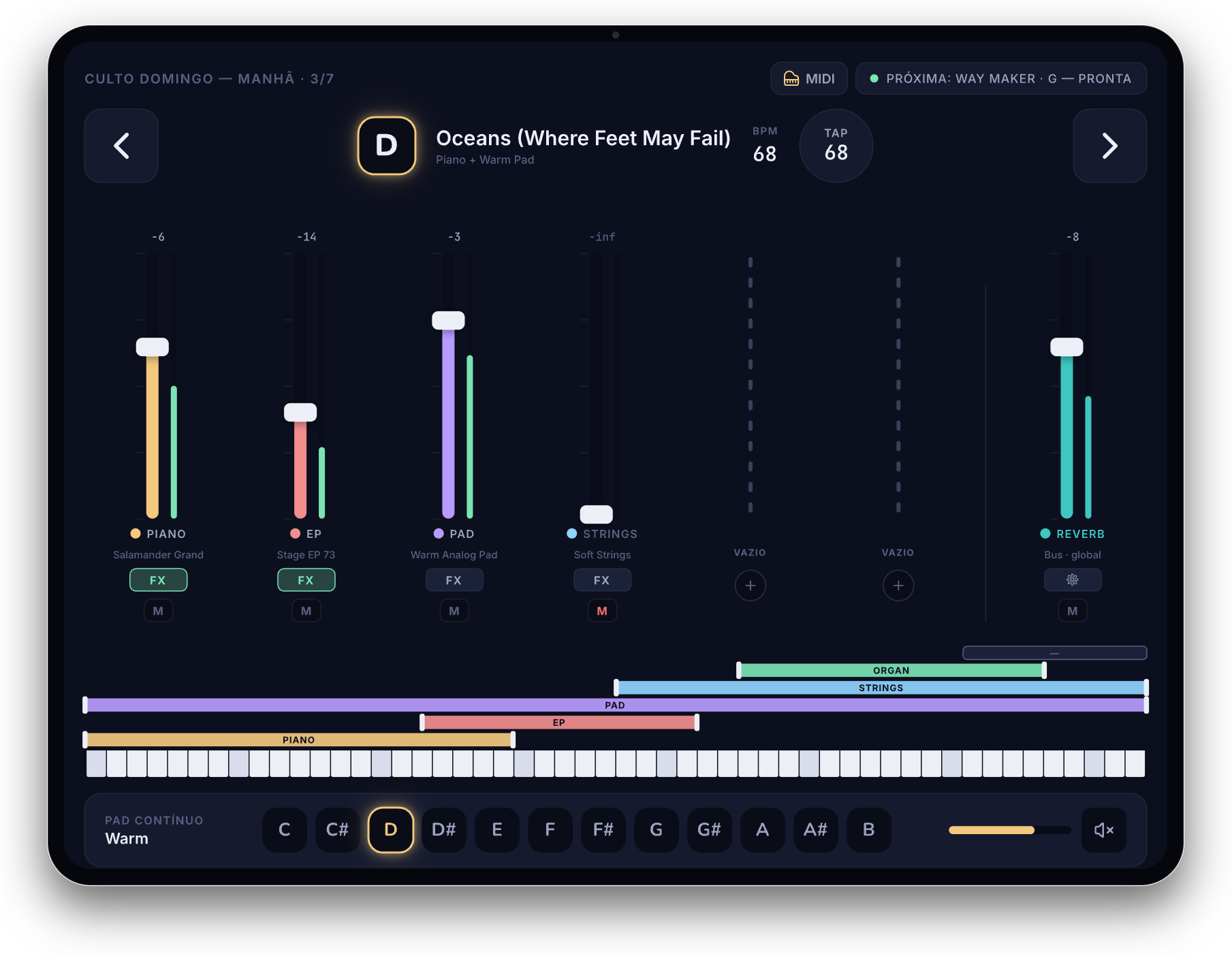
KeysRig on iPad: layer mixer (piano, EP, pad, strings, reverb), keyboard split, continuous pad, and the next song already armed to switch with no cut.

The stage comes first. Light rises from the dark.

Three things the stage demands.

Not a generic sound box. A performance instrument, built only for people who play keys live — from rehearsal to worship.

the #1 requirement

Gapless switching

Change songs and the previous note's release doesn't cut. Two A/B slots stay live in the engine — the bed keeps ringing while the next patch is already in. No hole in the sound.

the bed that holds

Continuous pad

A pad per key, holding the atmosphere — and you open the filter at the peak with a fader on your controller, without lifting a hand off the keys.

your stage, your map

MIDI, MainStage-style

Learn your controller's faders and buttons with one tap, with per-controller profiles and Shift banks. Set it once, it's yours for good.

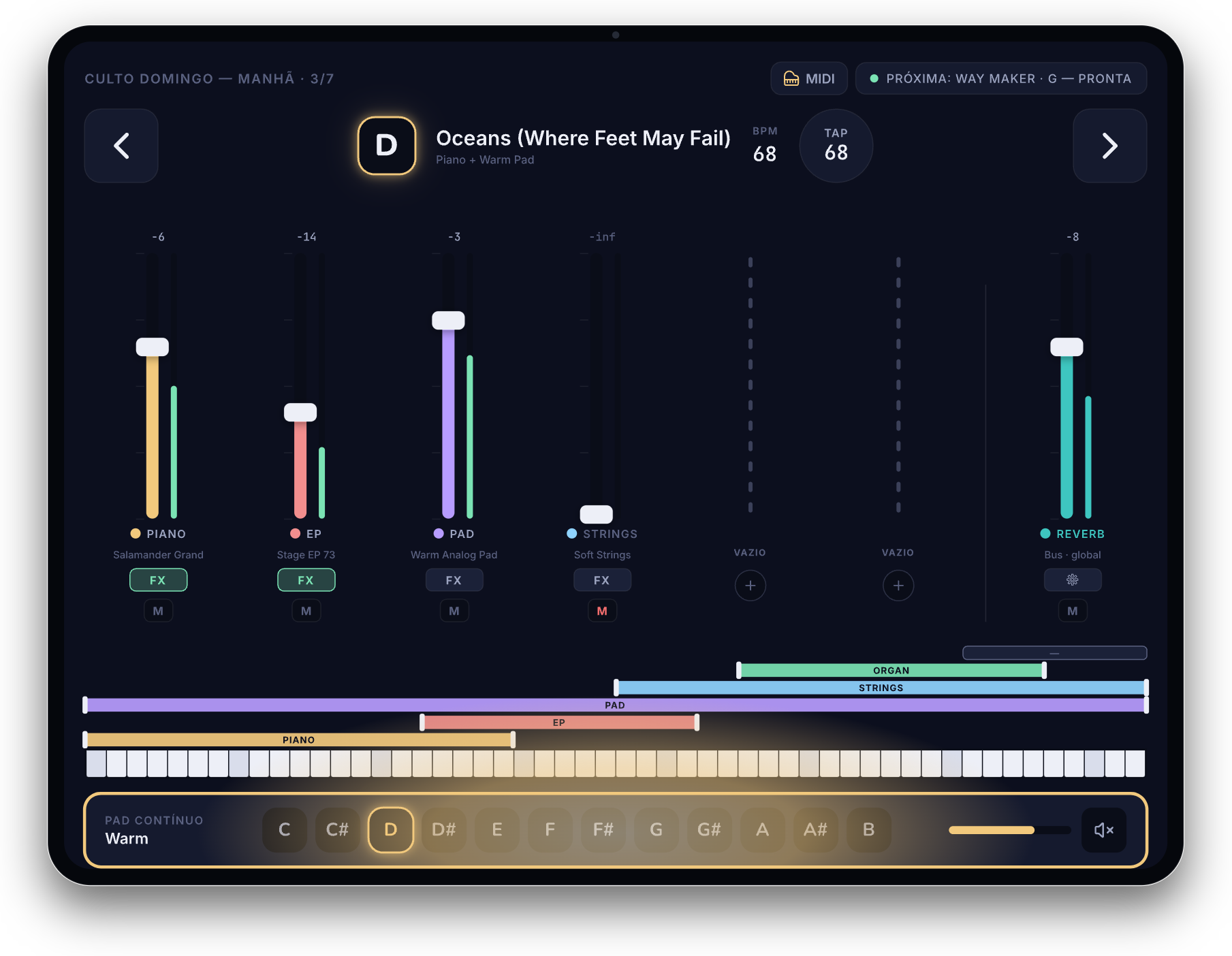
Continuous-pad dock spotlighted in KeysRig: PAD CONTÍNUO · Warm, with the filter opening in a warm beam.
the bed that holds

The atmosphere doesn't depend on your hands.

The continuous pad lives outside the slots — it survives the song change and holds the bed of worship. Map a fader to open the filter and the pad breathes at the peak, while your hands stay free to play.

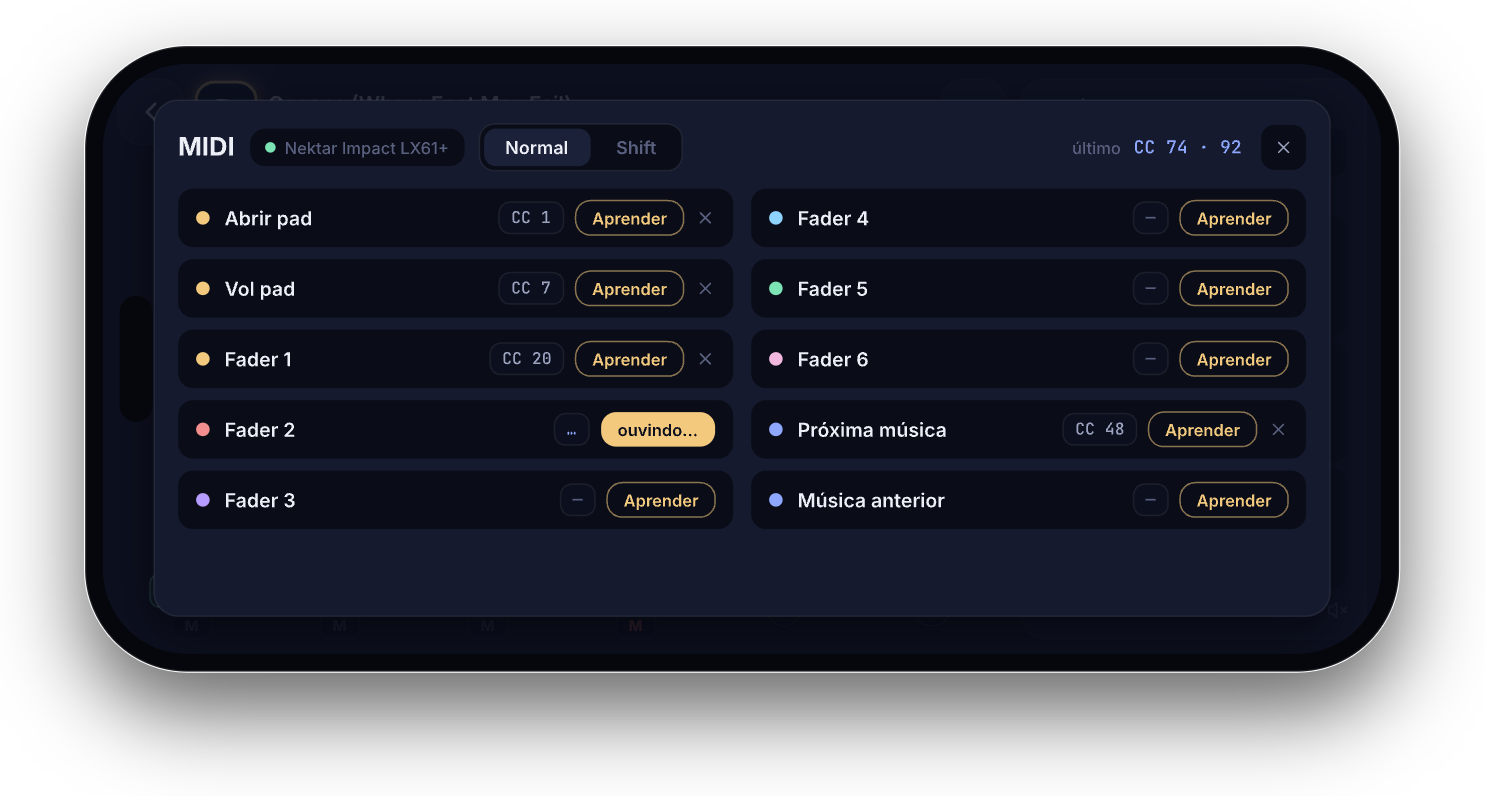
KeysRig MIDI mapping screen on iPhone: controller faders and buttons with a Learn button, controller profile and Normal/Shift banks.
your stage, your map

It learns your controller — not the other way around.

MainStage-style learn: move a fader or button and KeysRig learns it. Profiles saved per controller, two Shift banks, pickup mode so nothing jumps. From iPad to iPhone, the map is yours.

Stage keyboard, MainStage, or KeysRig?

An honest comparison. Each path has its place — KeysRig is the simplest and most portable for people who play keys live.

Stage keyboardMainStage + MacKeysRig
Cost$2,000–5,000+Mac + interface + license A fraction, on the iPad you already own
Stage setupHeavy, PSU and cablesLaptop + interface + cables, fragile iPad + a USB MIDI controller
Song switchingGood, but tied to the hardwareGreat — if you build it right Gapless, native, the way the stage wants
FocusKeys onlyGeneric (vocals, guitar, keys) Built only for stage keys
StabilityDedicated hardwareDesktop OS on stage = risk Native iPad, no laptop

Questions from players.

Do I need a MIDI controller?

Yes — a USB MIDI controller (the keys you actually play). The sound is generated on the iPad; the controller sends notes, faders and buttons. Any class-compliant controller works.

What sounds come with the app?

Factory instruments to start playing right away — piano, EP, organ and pads. And you import your own sounds in SFZ and SF2; the files stay visible in the app.

Does it work on stage without internet?

It does. It's a native iPad app — no cloud needed to play. What matters on stage is low latency and show-grade stability, and that's what we chase.

When does it launch?

KeysRig is in development and opens in closed beta first, on iPad. Drop your email below to be among the first — no spam, just backstage and an invite.

closed beta · iPad first

Play it before everyone else.

We're opening the KeysRig beta for keyboard players who gig live. Drop your email — limited spots, no spam, just backstage and an invite.

Thanks! You're on the list — we'll be in touch soon. 🎹

iPad (iPadOS 17+) · USB MIDI controller recommended